
Modify Dataset Specification File#
Introduction#
After using the Schema.describe() function with the large language model to auto-fill the reasonable minimum and maximum values in the constraints property, it is necessary to correct the properties in the dataset specification as they may not be completely correct for the research. The fastest way to modify the dataset specification is to open the YAML file and manually modify the fields that need to be fix.
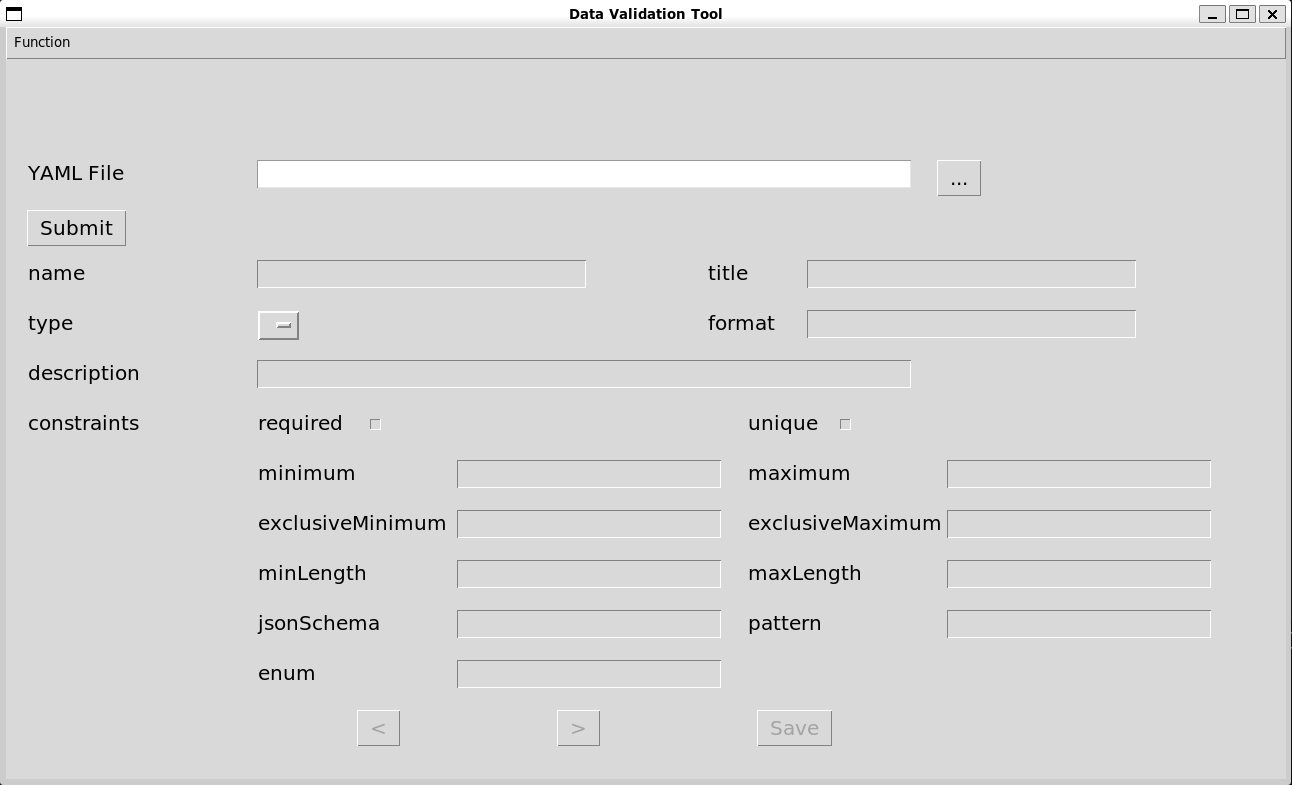
However, considering that not all researchers are familiar with the format of the YAML file, and that direct modification of the YAML file may still cause errors due to carelessness, an interface tool has been developed to allow users to easily modify the values of the dataset specification fields.
Modify data in each field#
After selecting the dataset specification file to be modified, the data of each field will be loaded into the user interface, and the program will convert the file into a Python dictionary. Users can use the previous page and next page buttons to view and modify each property, and the program will save the changed back to the dictionary. When the user presses the Save button, the program will overwrite the data in the dictionary onto the original file.
import yaml

global yaml_data
data_filename = 'data.csv'
yaml_filename = f'{data_filename}.schema.yaml'

with open(yaml_filename, 'r', encoding='utf-8') as file:
    yaml_data = yaml.safe_load(file)
In this interface tool, users can modify the title, type, format, description, and constraints properties of each field in the dataset specification. All content must comply with Table Schema requirements.
Content of each property#
Property |
Content |
|---|---|
|
The field descriptor must contain a |
|
A human readable label or title for the field. |
|
A string indicating the type of this field. |
|
A string indicating a format for the field type. |
|
A description for the field. |
|
Used to list constraints for validating field values. |
constraints property requirements#
|
Content |
Type |
Fields |
|---|---|---|---|
|
Indicates whether this field cannot be |
boolean |
all |
|
If |
boolean |
all |
|
An integer that specifies the minimum length of a value. |
integer |
collections (string, array, object) |
|
An integer that specifies the maximum length of a value. |
integer |
collections (string, array, object) |
|
Specifies a minimum value for a field. |
integer, number, date, time, datetime, duration, year, yearmonth |
integer, number, date, time, datetime, duration, year, yearmonth |
|
As for |
integer, number, date, time, datetime, duration, year, yearmonth |
integer, number, date, time, datetime, duration, year, yearmonth |
|
As for |
integer, number, date, time, datetime, duration, year, yearmonth |
integer, number, date, time, datetime, duration, year, yearmonth |
|
As for |
integer, number, date, time, datetime, duration, year, yearmonth |
integer, number, date, time, datetime, duration, year, yearmonth |
|
A valid JSON Schema object to validate field values. |
object |
array, object |
|
A regular expression that can be used to test field values. |
string |
string |
|
The value of the field must exactly match one of the values in the enum array. |
array |
all |